
Elegoo

Printer link — Live
Section titled “Printer link — Live”| Aspect | Detail |
|---|---|
| Protocol | MQTT, port 1883 |
| Discovery | UDP broadcast, port 52700 |
| Filament | 4 slots (Canvas) |
| Control | Live control panel: home/jog, temperatures, light, fan, speed mode, load/unload |
| Telemetry | Temperatures, job progress |
Native RFID — spec documented, in-app read planned
Section titled “Native RFID — spec documented, in-app read planned”Elegoo spool tags are Mifare Ultralight protected only by magic bytes
(EE EE EE EE) — no real authentication. Read-only decoding spec:
docs/rfid-vendors/elegoo.md.
The workflow
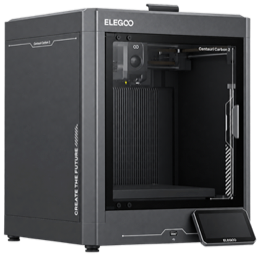
Section titled “The workflow”- Add the printer — automatic LAN discovery (UDP broadcast) or Add by IP. Needs LAN Only mode turned on once on the printer’s touch screen — step-by-step.
- Scan a spool — phone or desktop reader; it lands in your inventory.
- Assign it to a slot — Tiger Studio maps inventory spools to the four Canvas slots.
- Live & control — beyond telemetry and job progress, Elegoo gets a full control panel: home/jog the axes, set nozzle & bed targets, toggle the light, drive the fan, pick the speed mode, load/unload filament per slot.
Switch to LAN mode
Section titled “Switch to LAN mode”Tiger Studio’s direct link needs LAN Only mode enabled on the printer itself — a one-time, on-screen setup.
Bonus: write Elegoo-format tags
Section titled “Bonus: write Elegoo-format tags”The app’s built-in editor can rewrite a chip in the format Elegoo printers expect — so a TigerTag chip can even become a native Elegoo tag if that’s what your workflow needs. Your chip, your choice.
Reading TigerTag on the machine itself — in preparation
Section titled “Reading TigerTag on the machine itself — in preparation”A custom firmware is in preparation that would let an Elegoo printer read TigerTags directly, on the machine, on the same principle as the Snapmaker U1.
It is not available yet, and there is no date. Until it lands, an Elegoo reads TigerTag-identified filament the way the workflow above describes — through the phone, Tiger Studio or a TigerSpool beside the machine, with nothing changed on the printer.
Limitations
Section titled “Limitations”- Native Elegoo tags are not read in-app yet — the spec is documented, and the current work aims at converting vendor tag data into TigerData spools (see Compatibility).