
Elegoo Centauri Carbon 2: switch to LAN mode
Tiger Studio’s direct link needs LAN Only mode enabled on the printer itself — a one-time, on-screen setup. See Elegoo compatibility for the rest of the integration.
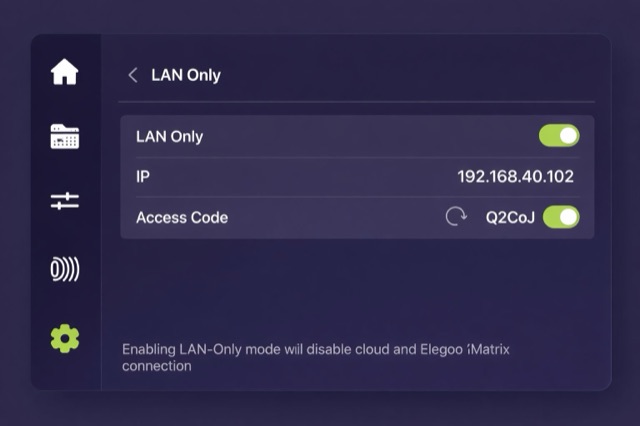
On the touch screen, select Settings → LAN Only. Enable LAN Only + Access Code and select Confirm.