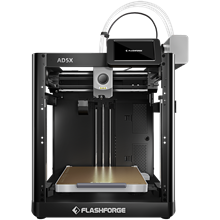
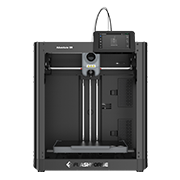
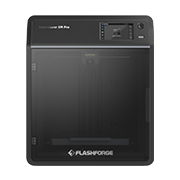
FlashForge

Printer link — Live
Section titled “Printer link — Live”| Aspect | Detail |
|---|---|
| Protocol | HTTP polling (port 8898) + TCP M-codes (port 8899) |
| Discovery | UDP multicast (225.0.0.9:19000) |
| Filament | IFS — FlashForge’s multi-filament system |
| Camera | MJPEG stream |
| Telemetry | Temperatures, job progress |
Native RFID — none: the machines have no reader
Section titled “Native RFID — none: the machines have no reader”FlashForge printers ship without any RFID reader, and with no RFID format of their own. That makes this the clearest demonstration of the TigerSystem advantage: we gave FlashForge machines the ability to work with NFC-identified filament — using the NFC reader already in the user’s smartphone. A brand-new capability, added to someone else’s printer, totally free, at zero cost to the user, with zero machine modification.
FlashForge × TigerSystem — the official firmware
Section titled “FlashForge × TigerSystem — the official firmware”FlashForge’s own engineering team built a firmware for the Creator 5 and Creator 5 Pro that runs FlashForge Cloud and LAN at the same time.
That matters more than it sounds. Stock firmware makes you pick one: turn Cloud on and local tools can no longer reach the printer. That choice was the only thing standing between a FlashForge owner and this ecosystem — and it is now gone. It is an official FlashForge firmware, not a community fork and not a patch — built with TigerTag, for this integration, and published here with their agreement.
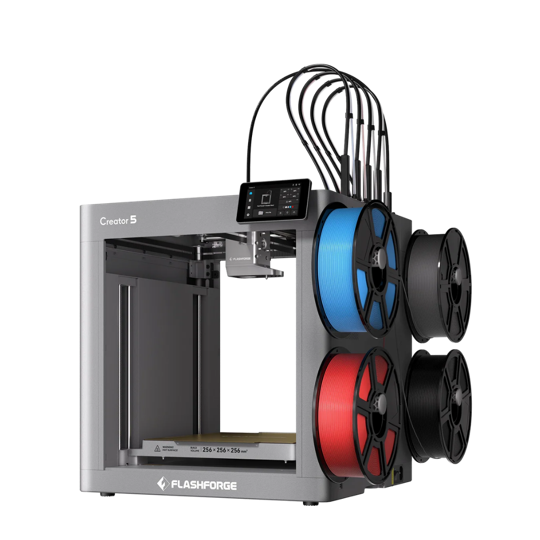
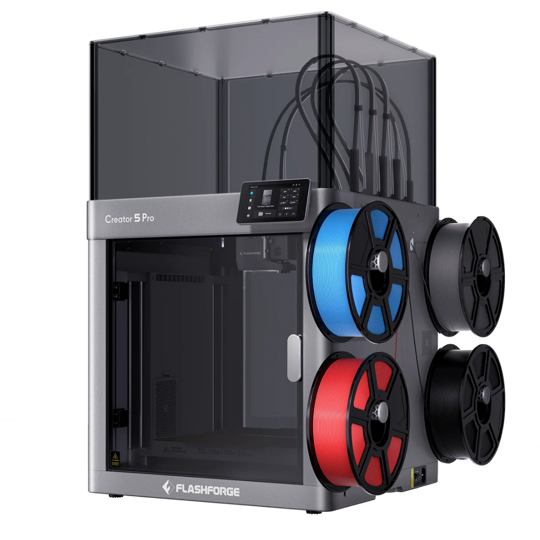
 Source and install guide
Installs from a USB drive. Free for anyone, with or without TigerTag hardware.
Connecting one, once it is flashed
Section titled “Connecting one, once it is flashed”Turn LAN mode on in the printer’s settings — that is the whole change the firmware makes available. Tiger Studio then finds it by automatic discovery, or you add it by hand with its IP address. No choice to make any more between Cloud and local tools: both are live at once.
| Stock firmware | With this firmware | |
|---|---|---|
| FlashForge Cloud — app, remote access | ✅ | ✅ |
| LAN access — local tools on your network | ✅ | ✅ |
| Both at the same time | ❌ | ✅ |
| Tiger Studio, Tiger NFC Connect and TigerSpool with Cloud on | ❌ | ✅ |
Nothing is given up
Section titled “Nothing is given up”The owner keeps every FlashForge Cloud feature, and gains the whole ecosystem on top: a free, open-source filament and printer manager on the desktop, a phone that reads and writes spools, and TigerSpool — an open-source reader box that sits beside the machines and keeps up to 24 printers in its list, ten of them connected at once — one box for the whole shelf.
So a printer with no reader and no format of its own now reads the chip of any filament brand that uses TigerTag — and of the spools makers tag themselves at home, on filament that never shipped with a chip.
A printer maker opening its machine to an ecosystem it does not own is a rare decision. Every maker who owns one benefits from it.
The workflow
Section titled “The workflow”- Add the printer — found by the network scan (UDP multicast), where it only needs its Printer ID, or added by hand with its IP address, serial number and Printer ID.
- Scan a spool — with your phone (or a desktop reader); it lands in your inventory.
- Assign it to an IFS slot — one scan, one click from Tiger Studio’s mapping. The printer ends up knowing its filament as precisely as a machine with built-in RFID, on any FlashForge model, with no hardware change and nothing added to the machine.
- Live — temperatures, job progress, and the MJPEG camera stream in the printers view.
Adding the printer
Section titled “Adding the printer”Tiger Studio needs three things to talk to a FlashForge: its IP address, its serial number, and a password — which the printer itself calls the Printer ID. One value, two names: whatever the touchscreen shows as Printer ID is what goes in Tiger Studio’s password field.
How many of the three you type depends on how the printer is found:
| How | What you enter |
|---|---|
| Network scan — Tiger Studio finds the printer on your local network | the Printer ID only; the scan supplies the IP and serial number |
| By hand — the scan did not find it | IP address + serial number + Printer ID |
There is no cloud path, so it is always one of these two. Pick your model to see where each value sits on the touchscreen.