
TigerScale

Purpose
Section titled “Purpose”TigerScale answers the eternal question: how much filament is left? Put a spool on the open-source ESP32 scale and the live weight flows straight into your inventory — no manual entry, no shaking the spool next to your ear.
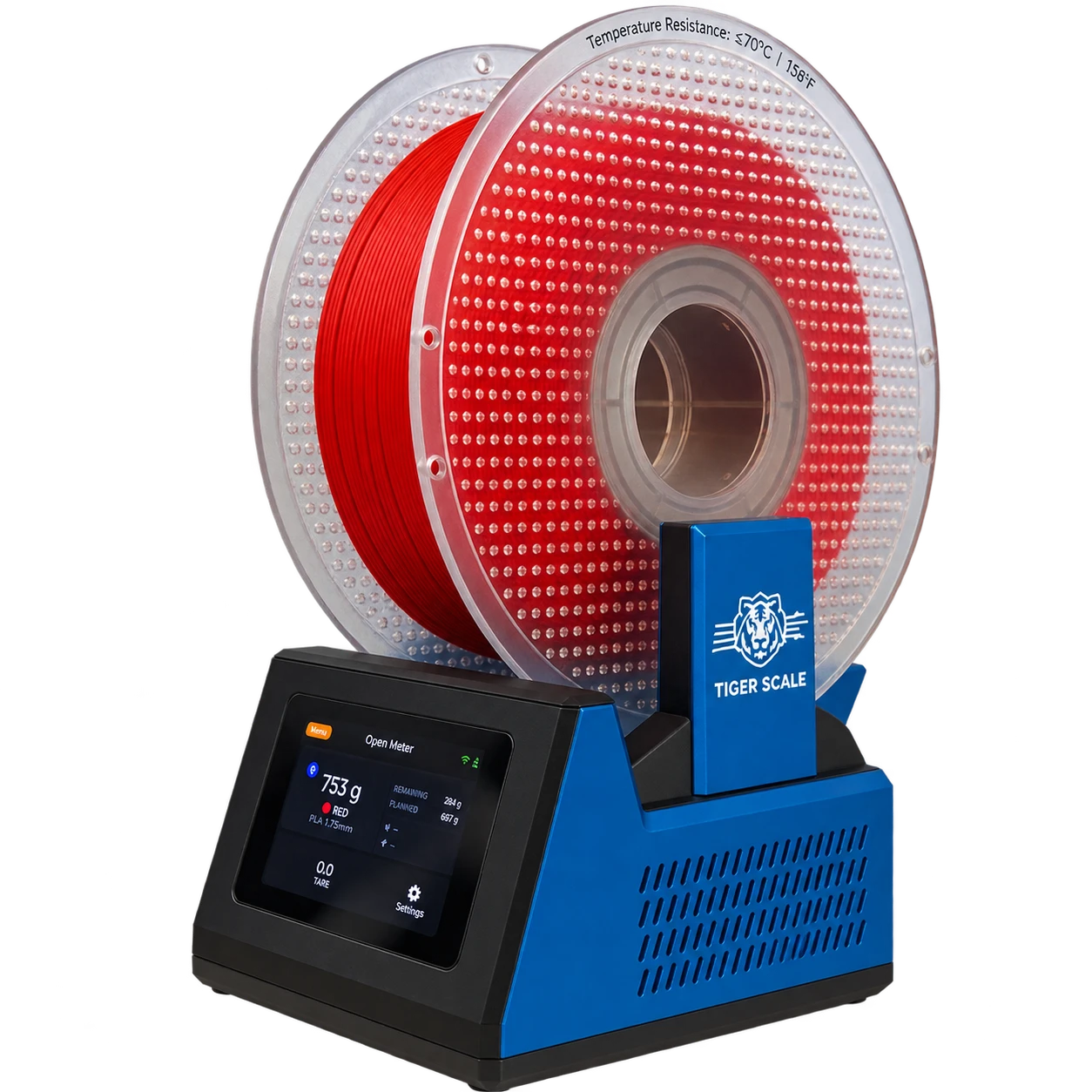
The spool goes on, and the scale already knows what it is: the chip gives the brand, the material and the colour, the load cell gives the grams. Nothing typed, nothing guessed.
 Sources
The chip knows what the filament is; the scale knows how much is left. Together they make the inventory actually true: identity from TigerTag, live quantity from TigerScale.
TigerScale V3 — the current generation
Section titled “TigerScale V3 — the current generation”Tiger-Scale-V3, MIT. This is the one to build.
- It knows which spool is on it: dual PN532 NFC readers, one per side — a twin-tagged spool is identified whichever way you put it down. Read the tag, weigh, subtract the empty spool’s weight, sync — no typing, no guessing.
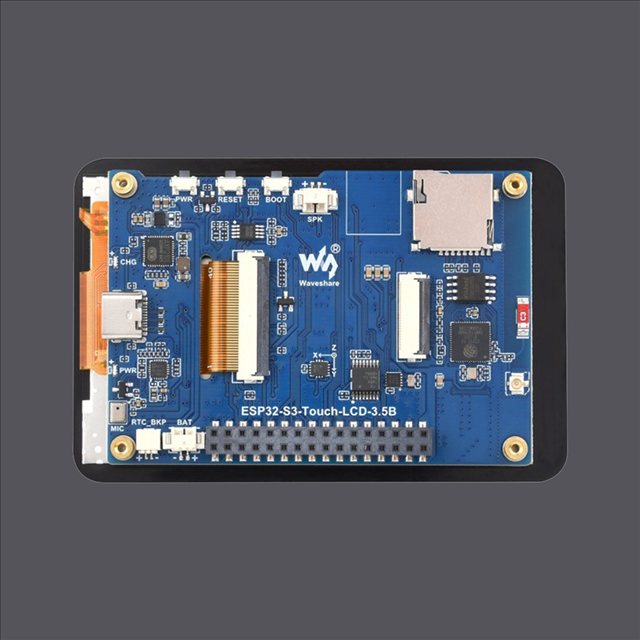
- ESP32-S3 (16 MB flash, PSRAM), 3.5″ 480×320 colour touchscreen (LVGL) with full on-screen setup: WiFi picker + keyboard, calibration wizard, hardware self-test, OTA updates.
- Battery powered (AXP2101 PMIC, charge state on screen), audio codec.
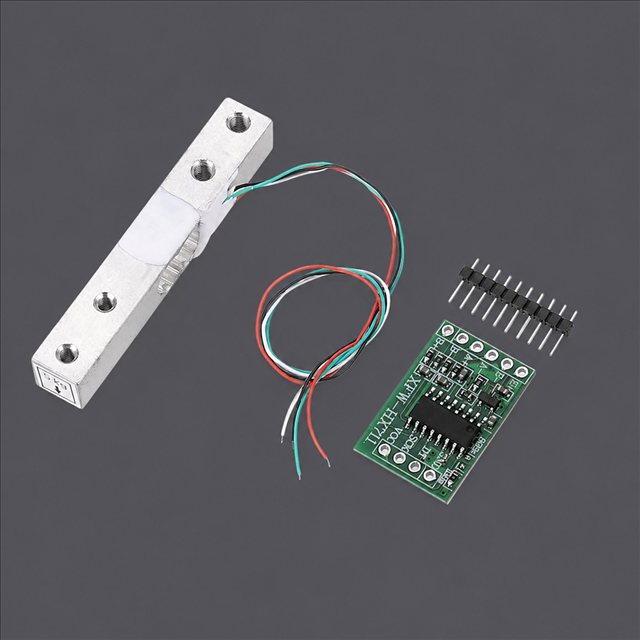
- Precision weighing: HX711 + load cell, median + adaptive EMA filtering — tuned for a kitchen-scale feel.
- 8 firmware languages, 9-language web UI.
- Live weight tracking — updates appear in real time in Tiger Studio and Tiger NFC Connect via Firestore.
- Works with Tiger Studio’s container weight calibration so net filament weight stays accurate per container type.
- It works offline. Brand and material identification comes from a database held in the device’s own flash, refreshed at most once a day — a tag lookup never waits on the network.
- Cloud sync is optional. The scale is fully usable without an account.
- Its own web UI, served from the device, mobile-friendly, live over WebSocket at 10 Hz — no app to install to drive it from a phone.
- No binary blobs: everything compiles from source.
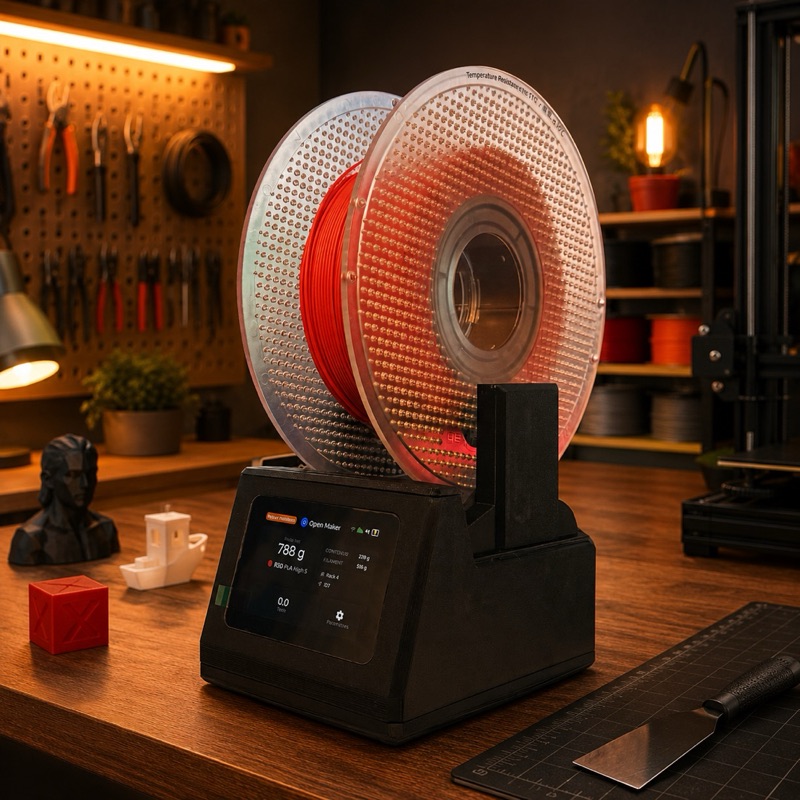
On the bench: put the spool down, it identifies itself and weighs itself.
Building one
Section titled “Building one”Not into electronics? A USB scale and a TigerPOD do the same job with nothing to wire or flash — the official no-electronics alternative.
The scale is a DIY build, and the steps people expect to be hard are not:
- Print the enclosure. One
.3mfBambu Studio project with the plates already laid out — on MakerWorld. Open it in Bambu Studio or Orca and press Slice: nothing to orient, no supports to place. - Wire the components. Connect the load cell, HX711, speaker and both PN532 readers to the board following the wiring diagram below — the same pinout for either board variant.
- Flash from your browser. The web installer always serves the current release; after that the scale updates itself over the air.
The parts are commodity:
| Qty | Component | Where |
|---|---|---|
| 1 | Waveshare ESP32-S3-Touch-LCD-3.5B — 480×320 IPS touch (the -3.5 without the B works too) | -3.5B · -3.5 |
| 2 | PN532 V3 NFC module — pin header and mode switch required | Amazon |
| 1 | 5 kg load cell + HX711 | Amazon |
| 1 | USB-C 4-pin cable + connector | cable · connector |
| 1 | Li-ion battery — optional, the scale runs on USB | Amazon |
| — | Dupont wires, M3 self-tapping screws | wires · screws |
| — | 2× M4×30 and 2× M5×30 (load cell), 4× M2×6 (display) | any hardware shop |
| 1 | A small speaker | ships with the ESP32-S3 board |
Some links in this table are Amazon affiliate links: as an Amazon Associate, TigerTag earns from qualifying purchases, at no extra cost to you. It helps fund the open protocol. Buying the same parts anywhere else works exactly as well.
The full costed bill of materials lives in the repository.
Assembly
Section titled “Assembly”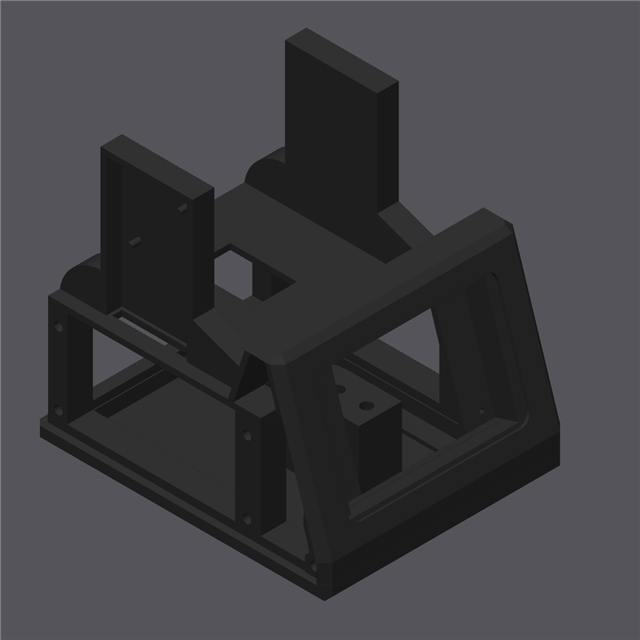
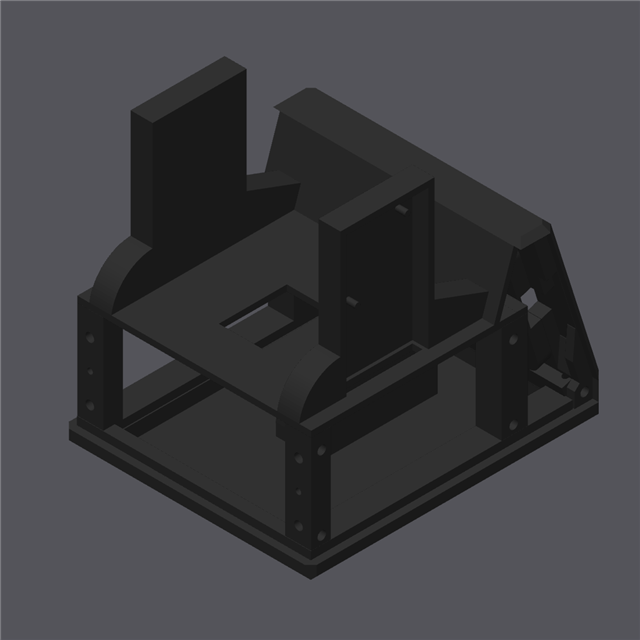
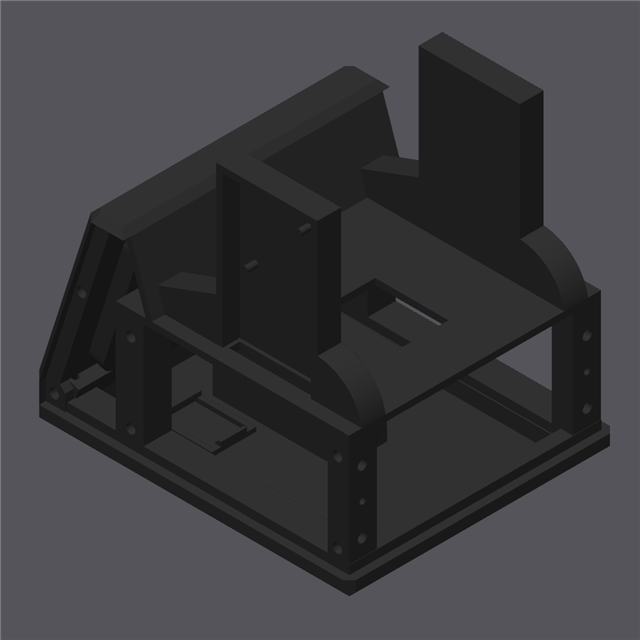
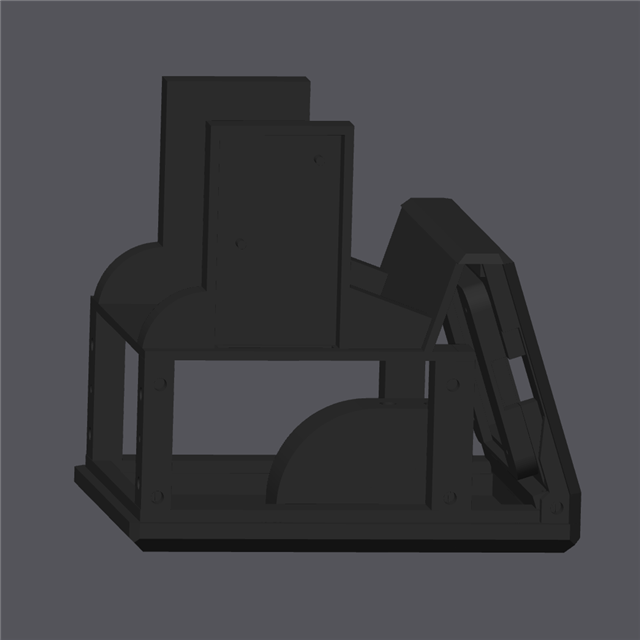
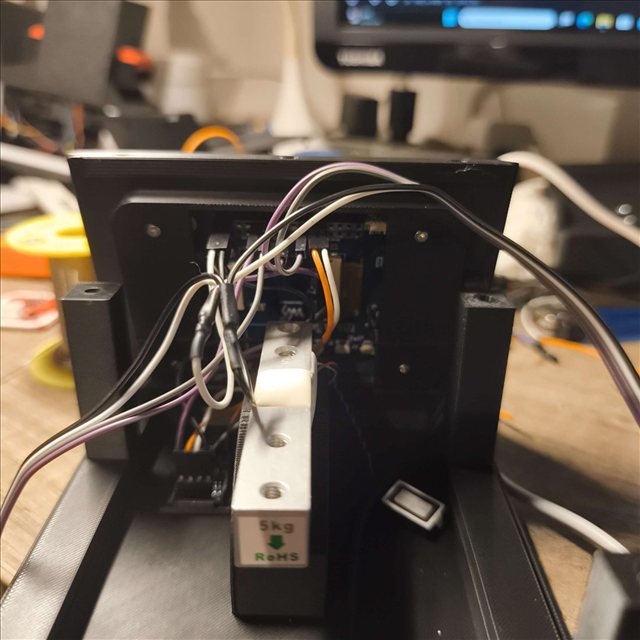
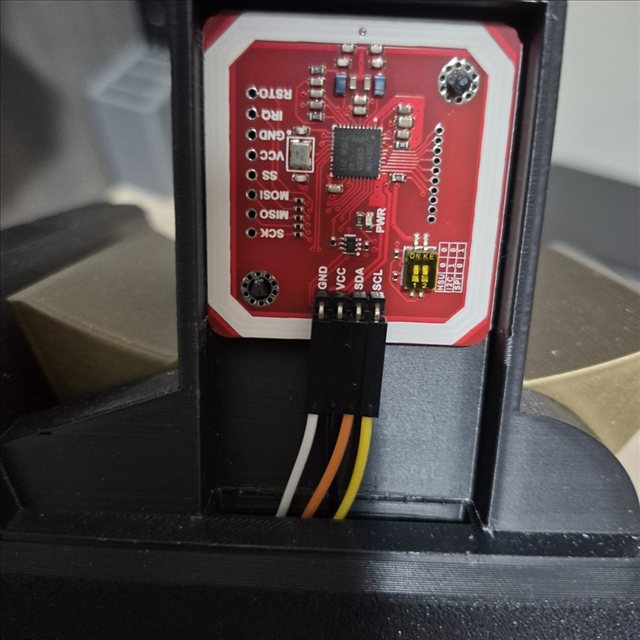
Wiring diagram
Section titled “Wiring diagram”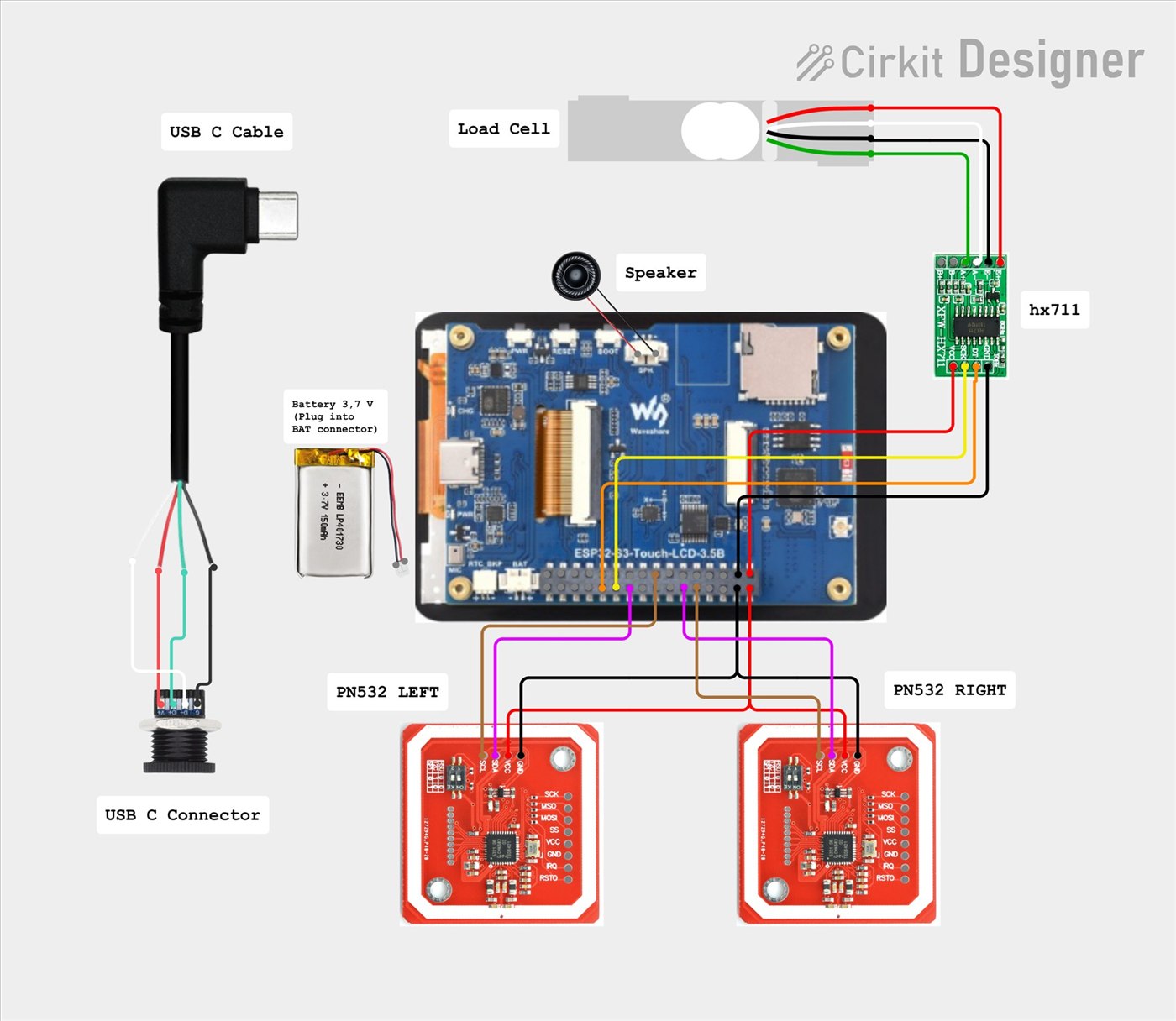
Interactive schematic in Cirkit Designer
Troubleshooting
Section titled “Troubleshooting”No COM port detected for the ESP32-S3 in the web installer?
A driver might be missing for your system. Follow the driver install guide.
Yours to make and to sell
Section titled “Yours to make and to sell”Anyone can manufacture and sell TigerScale hardware. No licence fee, no royalty, no registration. Build it, flash the official firmware, ship it.
The single condition for calling your product a TigerScale is running that official firmware unmodified, so every unit behaves identically inside the ecosystem. Fork it if you want to change it — and give the fork a different name. That is the whole of the deal.
Where it sits
Section titled “Where it sits”
flowchart LR
  SPOOL["Spool on the scale"] --> SCALE["TigerScale (ESP32)"]
  SCALE -- "live weight" --> CLOUD[("Your TigerSystem account<br/>(Firebase)")]
  CLOUD --> ST["Tiger Studio"] & CO["Connect"]
The story so far
Section titled “The story so far”Three generations, and the shape of the thing changed at each one:
| Reading | Screen | Board | Form factor | |
|---|---|---|---|---|
| V1 — never released publicly | one PN532 | mini OLED | ESP32 | a spool holder: a central support passing through the middle of the spool |
| V2 — Tiger-Scale, MIT | 2× RC522 | 0.96″ OLED | ESP32-WROOM, USB-powered | a flat scale |
| V3 — Tiger-Scale-V3, MIT | 2× PN532 | 3.5″ colour touchscreen | ESP32-S3, battery | a flat scale, self-contained |
The V1 already carried essentially the V2’s electronics — ESP32, mini OLED, an HX711 board with a 5 kg load cell — but a single reader, and a completely different body.
V3 is different hardware, not a firmware update. The two are not interchangeable: a V2 you already built keeps its own repository and keeps working. It is simply no longer developed.
All three are fully open source (MIT) on commodity parts — the living proof that an ESP32 and an NFC reader module (PN532 / RC522 class) are enough to build a TigerTag-reading device.
A USB scale and a TigerPOD, no electronics
Section titled “A USB scale and a TigerPOD, no electronics”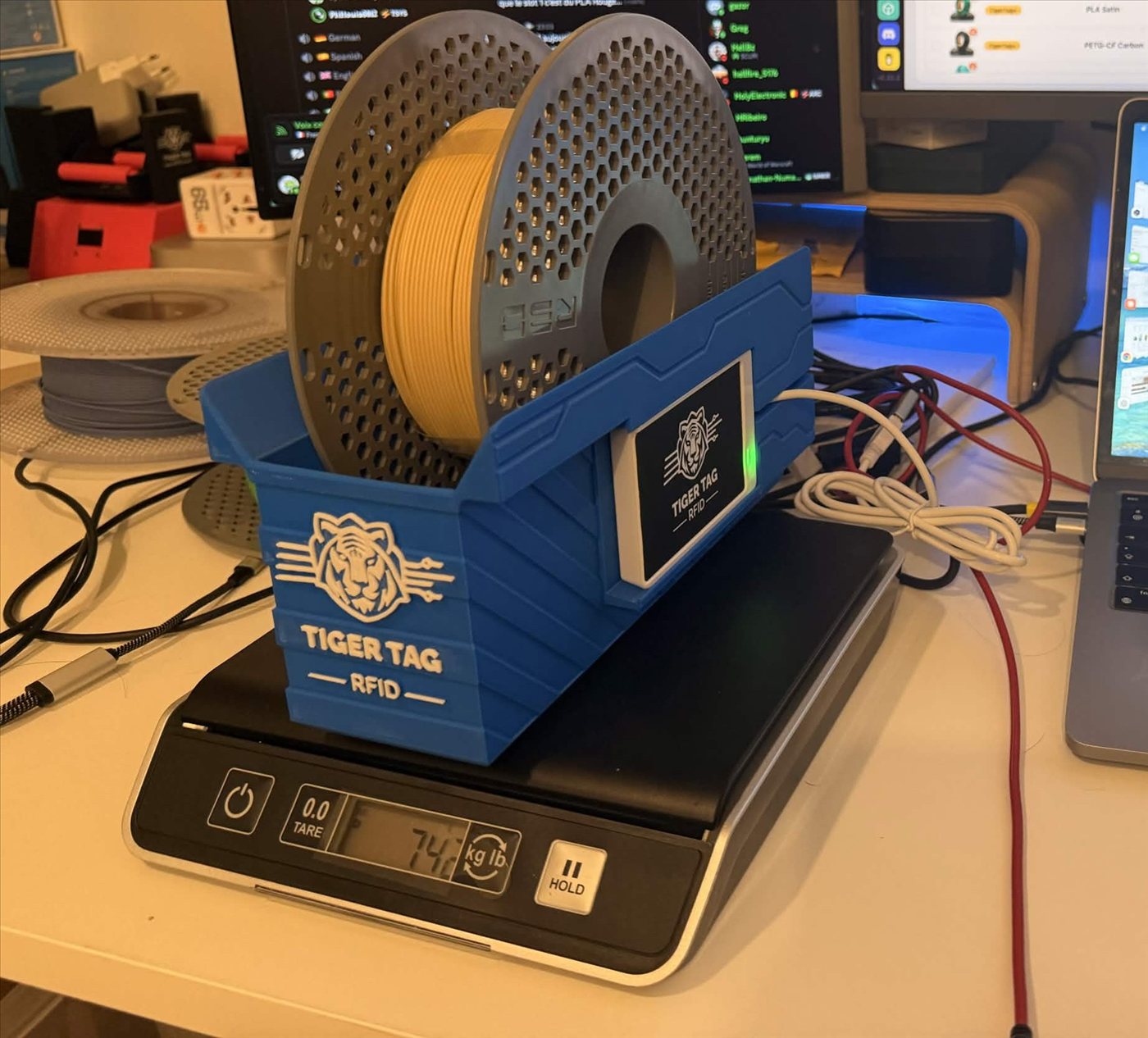
The official alternative for anyone who does not want to build a scale. A standard USB scale and a TigerPOD, both plugged into the computer, and Tiger Studio does the rest — nothing to solder, wire or flash.
- Plug the scale into your computer over USB.
- Set the TigerPOD on top of it — the Mini or the original.
- Tare the scale, with the TigerPOD on it.
- Open Tiger Studio.
- Put a spool on the TigerPOD. It reads the spool’s chips and Tiger Studio opens its card.
- The scale weighs it, and Tiger Studio updates the spool’s weight on its own.
Which scales work
Section titled “Which scales work”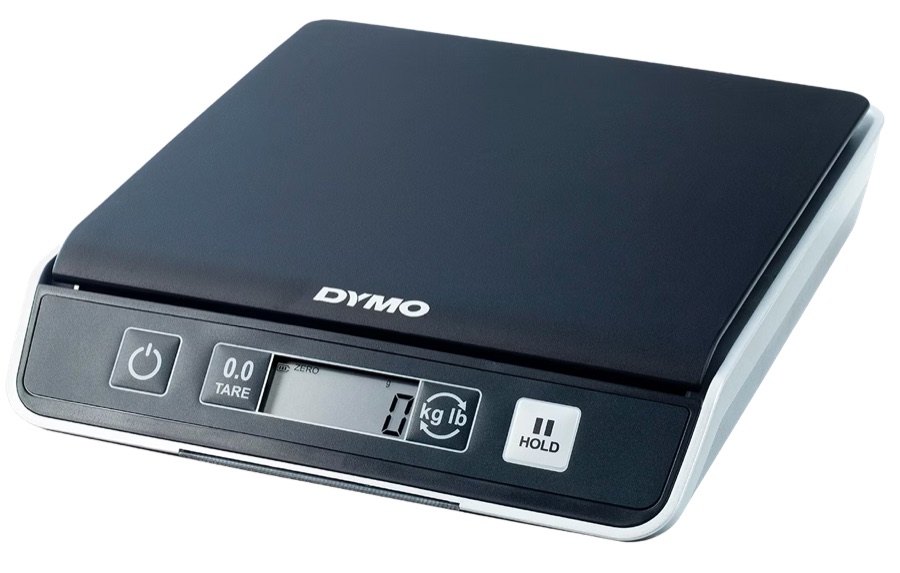
Tiger Studio reads standard USB “HID Scale” devices (HID usage page
0x8D, usage 0x20): starting with the DYMO M5 and the rest of the DYMO M
series (M10, M25… same protocol), and any compliant HID Scale, whatever the
brand. The scale is third-party hardware, not a Tiger product; the setup around
it is official and supported.
Protocol, validated on real hardware — 6-byte Scale Data Reports at ~1 Hz:
| Byte | Meaning |
|---|---|
[0] |
report id 0x03 |
[1] |
status: 1 fault · 2 stable @ zero · 3 in motion · 4 stable · 5 negative · 6 over capacity |
[2] |
unit (HID PoS codes): 0x02 gram · 0x0B ounce · 0x0C pound |
[3] |
signed power-of-ten exponent applied to the raw value |
[4..5] |
weight, LE16 (LSB, MSB) |
DYMO vendor id 0x0922; the M5 is pid 0x8009. Quirk: the very first frame
right after a tare reports unit 0x00.
The DYMO M2 is not supported — it has no USB port at all, so there is nothing to connect to a computer. The protocol is beside the point.
Interactions
Section titled “Interactions”| With | How |
|---|---|
| Firebase (account database) | Writes live weight to the user’s account |
| Tiger Studio / Connect | Display live weight; health monitoring |
- V3 (current): Tiger-Scale-V3 (MIT)
- Flash it from your browser: web installer
- Print the enclosure: MakerWorld
- V2, no longer developed: Tiger-Scale (MIT)
Related: Inventory & cloud sync